

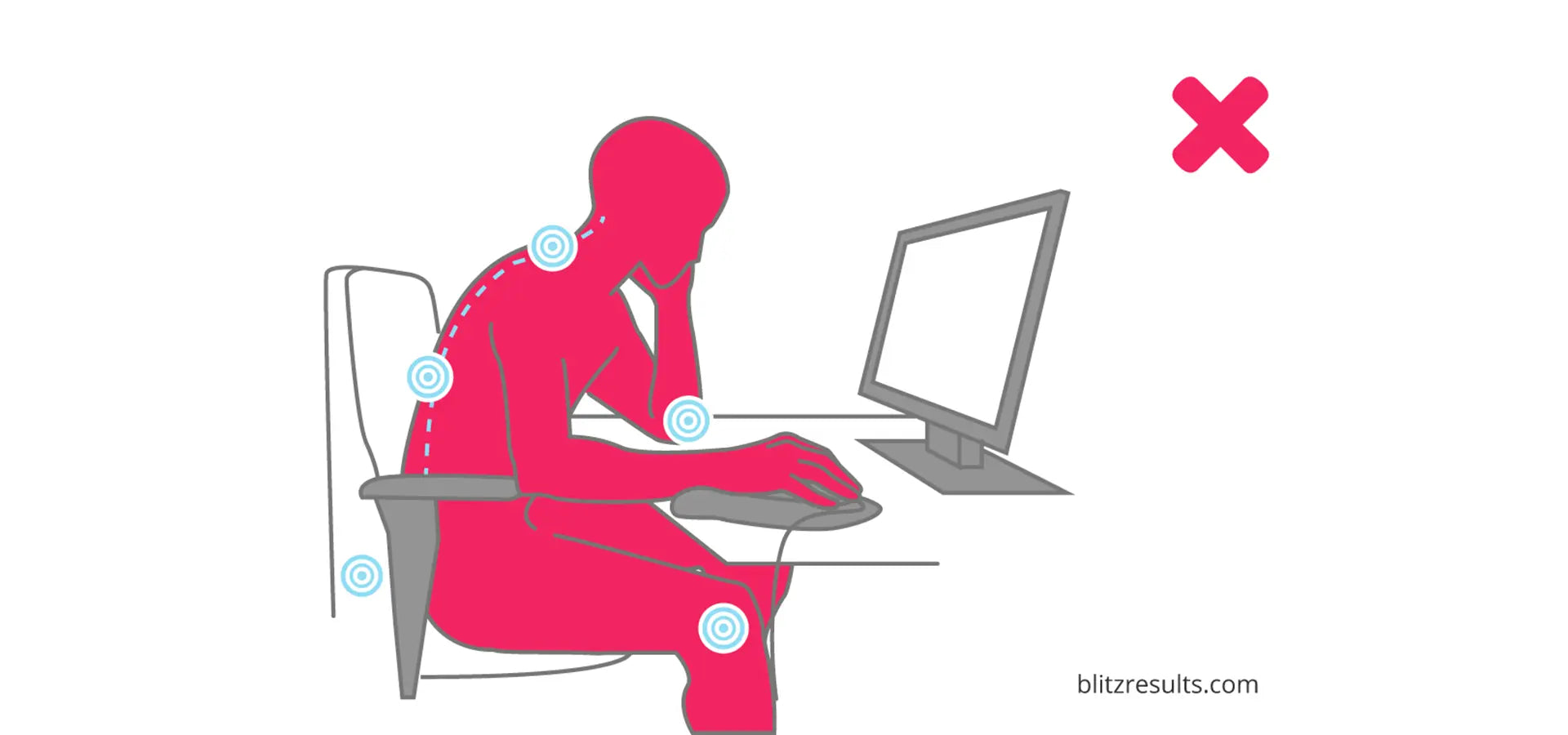
More and more people are engaged in sedentary work. As a result, the number of people with back problems and postural defects is also increasing. Exercise and physical activity can help prevent this, but why let it get to that point? Optimal workplace design, ergonomic setup of the computer workstation, and the correct sitting position in the office or home office can prevent discomfort.
What does an ergonomic workplace look like?
In an ergonomic workplace, everyone office furniture as well as the work equipment, which are ideally suited to each other and to the user. Desk The office chair is designed according to anatomical principles, allowing you to perform your job in a way that protects your back and joints. The size is based on body dimensions and adapted to the intended use; furthermore, it can be adjusted quickly and easily to ensure the best possible posture for every task.
8 tips for healthy work at the screen
Ergonomic sitting at the PC, the ergonomically correct height of the desk, the appropriate office chair and frequent changes of working position are the basic elements for ergonomics at the computer workstation.

The correct posture at the workplace:
- When sitting, ensure that your hip, knee, and ankle joints are at a right angle.
- Adjust the table and chair height to match each other. The table height is correct when your elbow joint is at a right angle when your forearms are resting on the chair.
- Change your posture while working. This effectively relieves pressure on your spine.
- To relieve pressure while standing, you can place one foot on a step or rest one lower leg on the office chair.
- If you often work on your laptop, it's best to use an external monitor, keyboard, and mouse.
Do relaxation exercises:
- Stretch arms towards the ceiling
- Stretch your arms towards the screen and curl your head in
- Refresh your eyes
Why is the electrically height-adjustable desk so popular for workplace health promotion?
Prolonged sitting puts strain on the back, shoulders, and neck, while prolonged standing additionally strains the legs and venous system. Ideally, you should alternate between sitting and standing regularly, preferably every two hours. This can be achieved with a height-adjustable desk is to implement optimally. The ideal distribution is as follows: 60% dynamic sitting, 30% working while standing, and 10% targeted walking around.

The health benefits of height-adjustable desks
Setting up an ergonomic workstation with an electrically height-adjustable desk is a simple way to prevent these negative effects. It can be precisely adjusted to the worker's height and anatomy, and therefore also to different tasks that are ideally performed at different heights. Matching, precisely adjustable [accessories/companions] are also available. Modular furniture . This minimizes the strain on the body's musculoskeletal system. The ability to switch between sitting and standing positions also offers significant advantages.
- Less fatigue at work
- Increased concentration and performance
- When standing still, you are automatically more responsive and alert.
- The alternating movements train the back and leg muscles.
- The spine is relieved of pressure.
- The circulatory system starts working.
Pay attention to these 8 points when buying.
To ensure that working at a height-adjustable desk is truly enjoyable and that changing positions is quick and easy,
You should pay attention to the following 8 points when choosing your height-adjustable desk:
- Effortless switching between sitting and standing positions is possible. This is easiest with an electric desk. Manual cranking can be very time-consuming and cumbersome.
- As quietly as possible. The surroundings should not be distracted by the settings at the next table.
- Stability. No table should wobble. Adjustable feet to compensate for uneven floors are a must.
- Stable construction. Even in its highest position, your height-adjustable desk should not wobble.
- Soft start/stop function. This function guarantees smooth, jerk-free height adjustment. You don't need to worry about objects falling off your desk.
- Anti-collision protection. This protects against damage to items underneath your desk when it is lowered, or against damage to the desk itself.
- High load capacity. Pay attention to the weight capacity (in kilograms) of the desk.
- Memory function. This function allows you to save different height settings. You don't have to readjust every time you change positions to find the perfect height – helpful for one user, a blessing when several users share a desk.
Is the investment worthwhile?
The cost difference between office desks with fixed and adjustable tabletops has shrunk considerably in recent years. "It's like airbags and ABS in cars. What used to be a luxury is now standard."
According to the latest survey by Swiss Rheumatism League Back pain causes production losses of nearly 5,000 Swiss francs per patient annually. In addition, those affected spend money themselves to alleviate their back pain: Two out of three respondents stated that they spent an average of 524 Swiss francs on back pain treatment in 2019 – for treatments, medications, or aids not covered by health insurance. For people with chronic back pain, out-of-pocket healthcare costs averaged 836 Swiss francs in 2019, according to the Swiss Rheumatism League.
The investment therefore pays for itself very quickly – whether for office staff or for home office use. Many companies therefore tend to buy electrically height-adjustable desks right away when making new purchases, rather than waiting for their employees to experience discomfort.
Ergonomic Workplace Checklist
Here's how to set up your computer workstation ergonomically to stay fit and healthy at work. In just a few minutes, you can correctly position your desk, chair, monitor, and keyboard.
Share :
6 useful furnishing tips for your office